Screencasting Best Practices

Over the past week, Help Desk students have been busy managing walk-in visits to the Help Desk from students along with their first formal and relatively structured assignment. A major aspect of the Help Desk curriculum requires students to create tutorials demonstrating the use and functionality of various web tools and applications. Because most students…

Student Blogs: 2014-2015

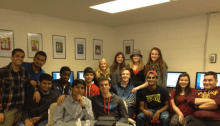
Each BHS Help Desk student maintains his or her own blog which chronicles their learning experiences in the program. A central component of the individual blog is the weekly reflection. Weekly reflections are a summary of the skills and knowledge each student is developing throughout the course. Students are asked to identify and analyze situations…

Create Google Presentations on the iPad…Sort Of

When I heard the news late yesterday that the ability to CREATE a Google Slide presentation was finally released for the iPad and iPhone I was ecstatic. I, along with many other educational technology integrators, had been waiting for this capability for months, especially those of us working in 1:1 iPad schools that are also…

Flipping the Classroom with Movenote

TECH TOOLS WITH A PURPOSE As I get ready to finish my first year as the Instructional Technology Specialist at Burlington High School, I can’t help but reflect on one of the very first technology tools I promoted and shared with my colleagues. That tool was Movenote. What excited me about Movenote was that it was free,…

Summer Professional Development Options

With summer just a few weeks away, I wanted to share a broad range of hands-on, high quality professional development opportunities for Burlington teachers, staff, and administrators to explore. Whether you are looking for collaborative, teacher-led formats such as an Edcamp, want time to experiment with technology tools that can engage all learners and solve real…

Take Your iPad from Consumption to Creation with DoInk!

DoInk: “fun, powerful animation app for your iPad, iPhone, or iPod Touch!” Doink is a new, fun and creative way to make animations on your iPad, iPhone, or iPod Touch. It will help your students become content creators and will push their creativity. Within the Doink app, you can create your own custom piece of art with their vector…